
Aqara - Motion Sensor
Aqara Motion Sensor P1
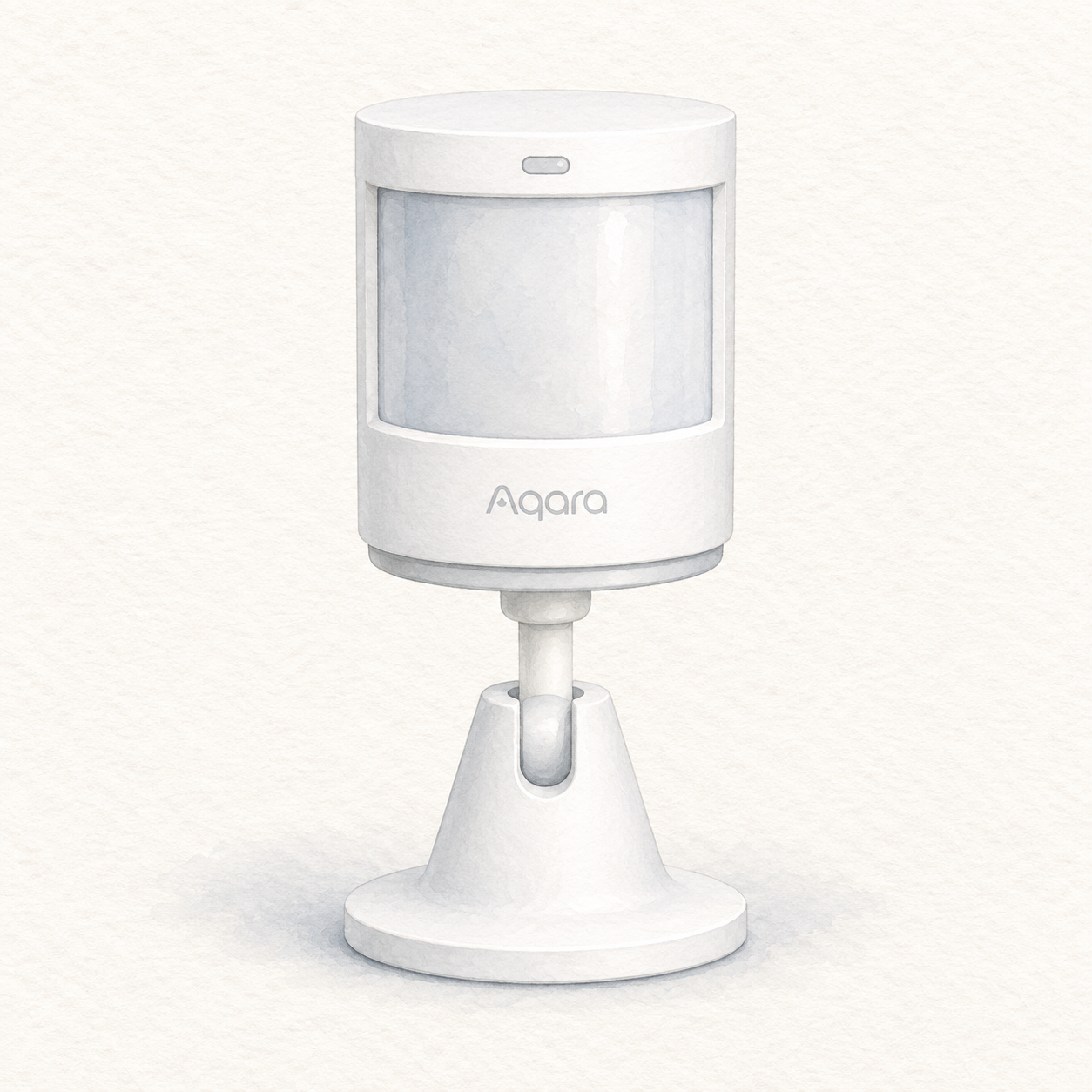
Aqara P1 and holder illustration — not a photo; hub not shown
Is it right for your home?
Adding motion-triggered household routines through an Aqara Zigbee 3.0 hub and the Aqara Home app. The MS-S02 manual documents motion and ambient-light detection; check hub communication and the intended mounting position before relying on a routine.
Before you choose: conditions & sources
When to compare another option
Choose another approach for outdoor or damp locations, or if you do not want the hub dependency. This is the P1, not the P2. Do not treat motion notifications as proof of continuous occupancy or a tested security system; account for placement limits and button-battery precautions.
FlowHome interpretation of the documentation below, not hands-on testing or a guarantee for your setup. Source dates are documentation checks, not confirmation of today's firmware or seller package.
- Aqara — MS-S02 P1 manual: hub, detection, placement and precautions — consulted 2026-09-12
First setup check
Have an Aqara Zigbee 3.0 hub and Aqara Home app ready. Remove the battery insulating tab, add Motion Sensor P1 in the app and confirm communication with the hub before fixing the sensor in position.
All setup checks & sourcesFrom model-specific documentation, not a hands-on test. This is one check, not a complete installation guide.
Catalog features and verification status
Sponsored affiliate link - price and availability may change.
By: FlowHome Editorial Team (Editorial organization)
Product data updated 2026-09-12. This is not a human review.
Key specifications
These are category-relevant catalog entries, not independent verification of each feature. Check the model-specific sources and limitations below; missing information remains unverified.
- Price: Check price on Amazon
- Amazon customer rating: Check current ratings on Amazon
Connectivity and platform checks
An unverified yes/no is a catalog record, not proof of support or incompatibility. Evidence-backed signals apply only to the supported function and conditions; they do not establish native connectivity, controller or bridge roles, firmware, or included hardware.
- Wi-Fi: Catalog: No (unverified)
- Bluetooth: Catalog: No (unverified)
- Zigbee: Catalog: Yes (unverified)
- Matter: Catalog: No (unverified)
- Alexa: Catalog: Yes (unverified)
- Google Home: Catalog: Yes (unverified)
- Apple HomeKit: Catalog: Yes (unverified)
- Thread role / integration: Not verified
- SmartThings role / integration: Not verified
Read the model-specific compatibility conditions and sources below before choosing a setup.
Identity and evidence limits
Each documented statement below has its own source and conditions. Missing evidence means not verified, not that a feature is absent. These records do not certify the seller's current package or a physical unit.
- Model
Documented: MS-S02. The P1 manual identifies this model; the seller's physical unit and revision have not been inspected.
- Aqara P1 manual — specifications, English page 8 — consulted 2026-09-06
- Amazon ASIN
Documented: B09QKVMMTB. The indexed Amazon listing identifies MS-S02 / Motion Sensor P1. The seller's hardware revision and current offer remain unverified.
- Amazon indexed listing — identity observation, not a live offer — consulted 2026-09-06
- Generation / hardware revision
Not verified for this catalog identity.
- Package contents
Documented: One P1 sensor, holder, sticker and manual. These items are listed in the manufacturer's MS-S02 manual. Confirm the seller's current package separately.
- Aqara P1 manual — box contents, English page 8 — consulted 2026-09-06
- Market / regional variant
Documented: US Amazon listing. This identifies the consulted storefront, not a certification of the seller's regional hardware.
- Amazon indexed listing — identity observation, not a live offer — consulted 2026-09-06
- Firmware version
Not verified for this catalog identity.
- Device, bridge or controller role
Documented: Zigbee motion and ambient-light sensor; requires a compatible Aqara Zigbee 3.0 hub. This is a sensor accessory, not a hub or controller. No individual ecosystem pairing is certified here.
- Aqara P1 manual — product introduction and setup, English pages 1-2 — consulted 2026-09-06
- Service / subscription conditions
Not verified for this catalog identity.
Installation checks
FlowHome setup assessment: Mounting or guided setup. This is our estimate from the requirements below, not a hands-on test or a guarantee of difficulty.
- Have an Aqara Zigbee 3.0 hub and Aqara Home app ready. Remove the battery insulating tab, add Motion Sensor P1 in the app and confirm communication with the hub before fixing the sensor in position.
- Use indoors, away from moisture and heat sources. Choose a clean, flat mounting surface and a detection direction; the manual recommends 1.2-2 m mounting height. Avoid glass, tile, marble, uneven wall coverings and facing heaters. Test detection at the intended location.
- Follow the MS-S02 manual for its two CR2450 button batteries; keep new and used batteries away from children and stop using a compartment that will not close securely. This is a documentary setup assessment, not a tested security system or a guarantee of ecosystem pairing.
Documented model: MS-S02. Target market: US. Follow the manufacturer instructions for your exact hardware and household.
- Aqara — MS-S02 setup, placement and battery precautions (English pages 1-11) — consulted 2026-09-06.
The Amazon ASIN, package contents and hardware revision have not been independently matched to these setup requirements. Confirm the exact listing before buying.
Editorial methodology
Author: FlowHome Editorial Team (Editorial organization).
Ratings source: A current authorized rating is not available here; check Amazon for customer feedback. FlowHome does not run controlled lab tests.
Price source: A current authorized price is not available here. Check Amazon for final pricing and availability. FlowHome may earn from qualifying purchases.
Specs source: Catalog records, with source references below when available. A recorded feature is not proof of independent verification; confirm the exact model, firmware and installation requirements with the manufacturer.
Disclosure: FlowHome may earn from qualifying purchases through affiliate links. Automation can assist with discovery and maintenance, but it does not replace editorial responsibility.
- Amazon — Motion Sensor P1 MS-S02 — consulted 2026-09-06; documentary source, not a physical test.
- Aqara — Motion Sensor P1 manual, model MS-S02 — consulted 2026-09-06; documentary source, not a physical test.
- Aqara — MS-S02 setup, placement and battery precautions (English pages 1-11) — consulted 2026-09-06; documentary source, not a physical test.
Check price on Amazon
A current authorized price is not available here. Open Amazon to check the price, availability, and any conditions before buying.
Price snapshot
Documented product relationships
These source-attributed records are separate from editorial recommendations. A substitute applies only to its stated use case; a complement is not a compatibility guarantee.